Popular Posts

reMarkable Paper Pro Bundle – Premium Leather

A Complete Guide to the Paper-Like Digital Workspace

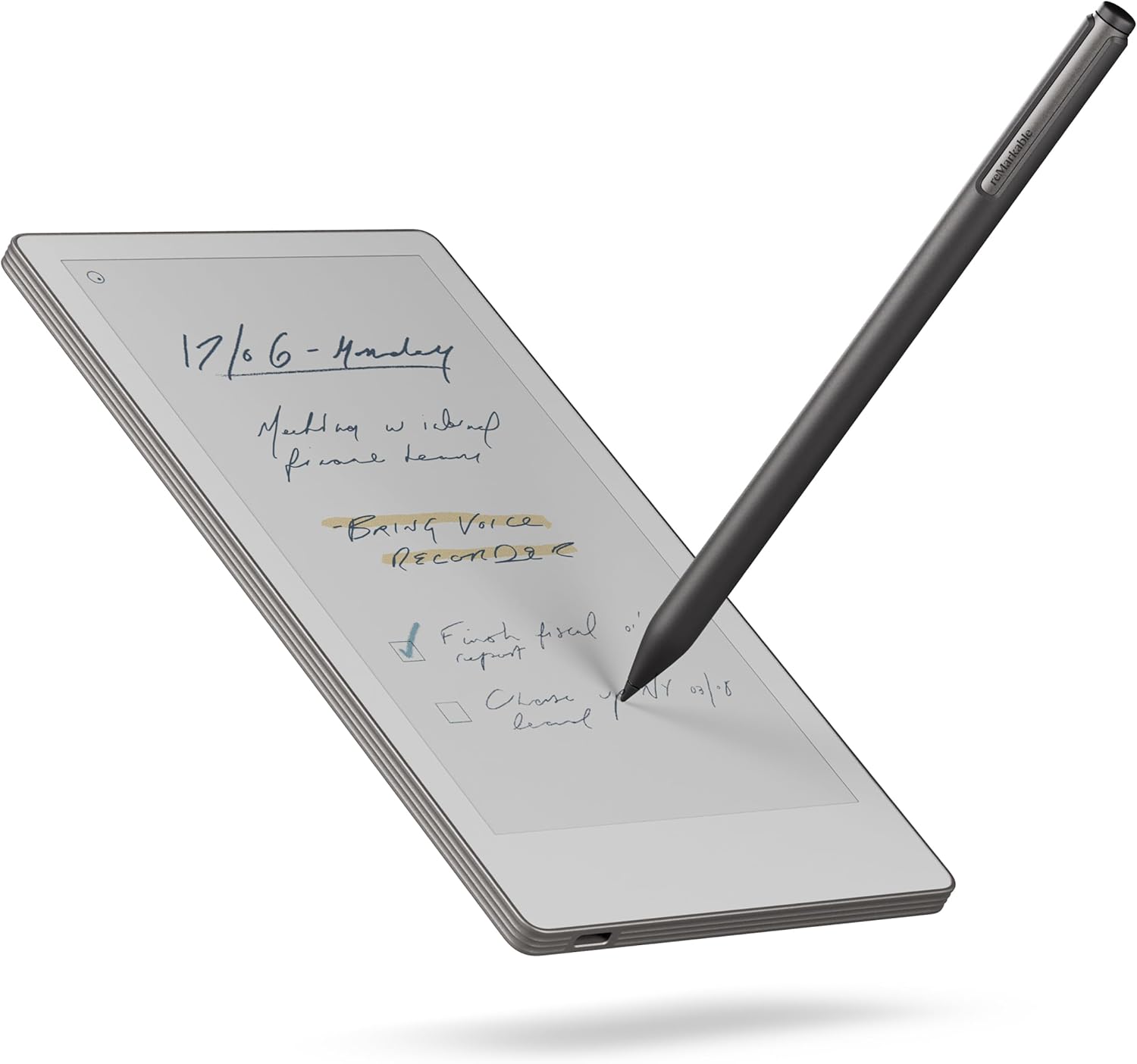
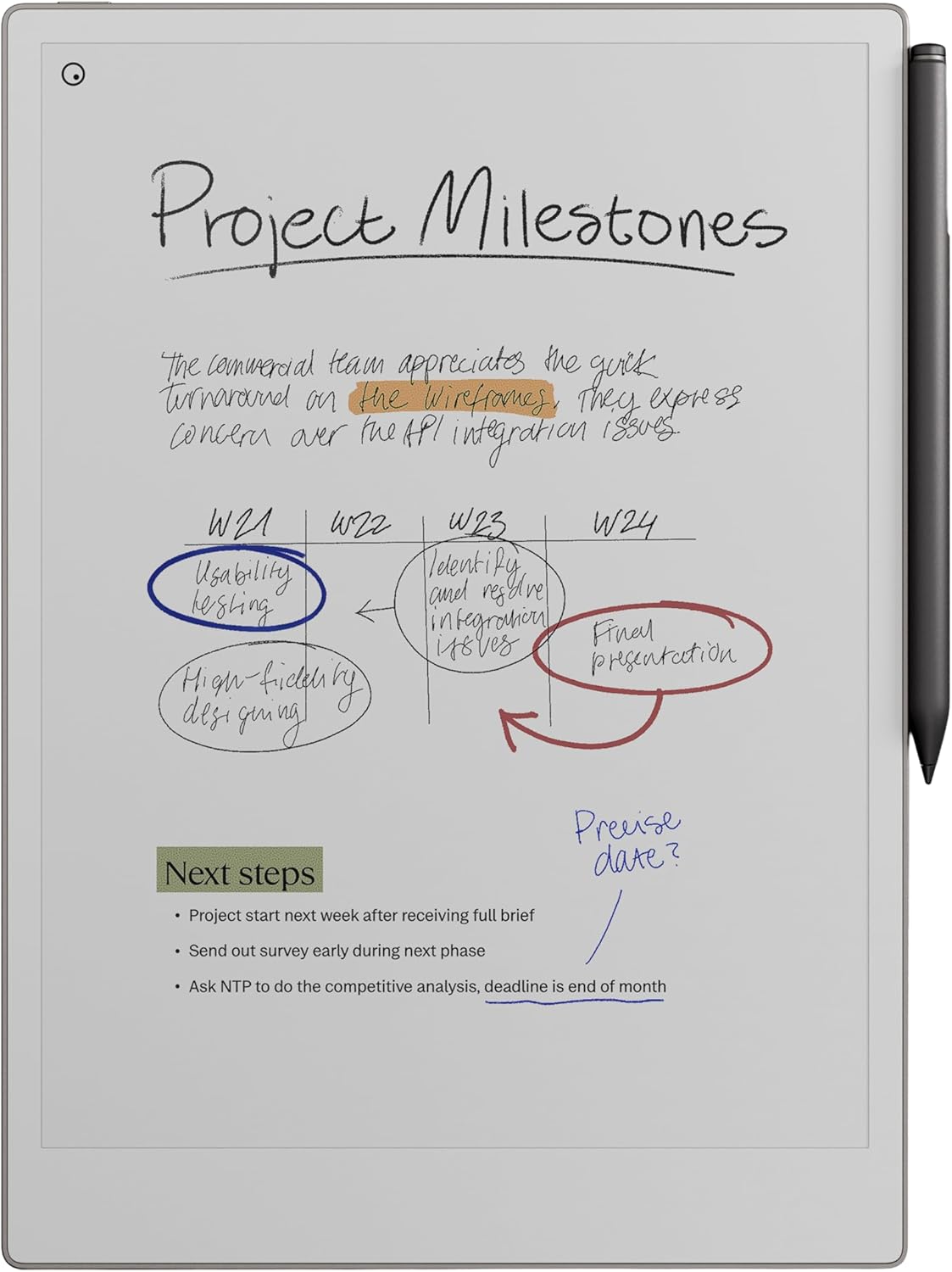
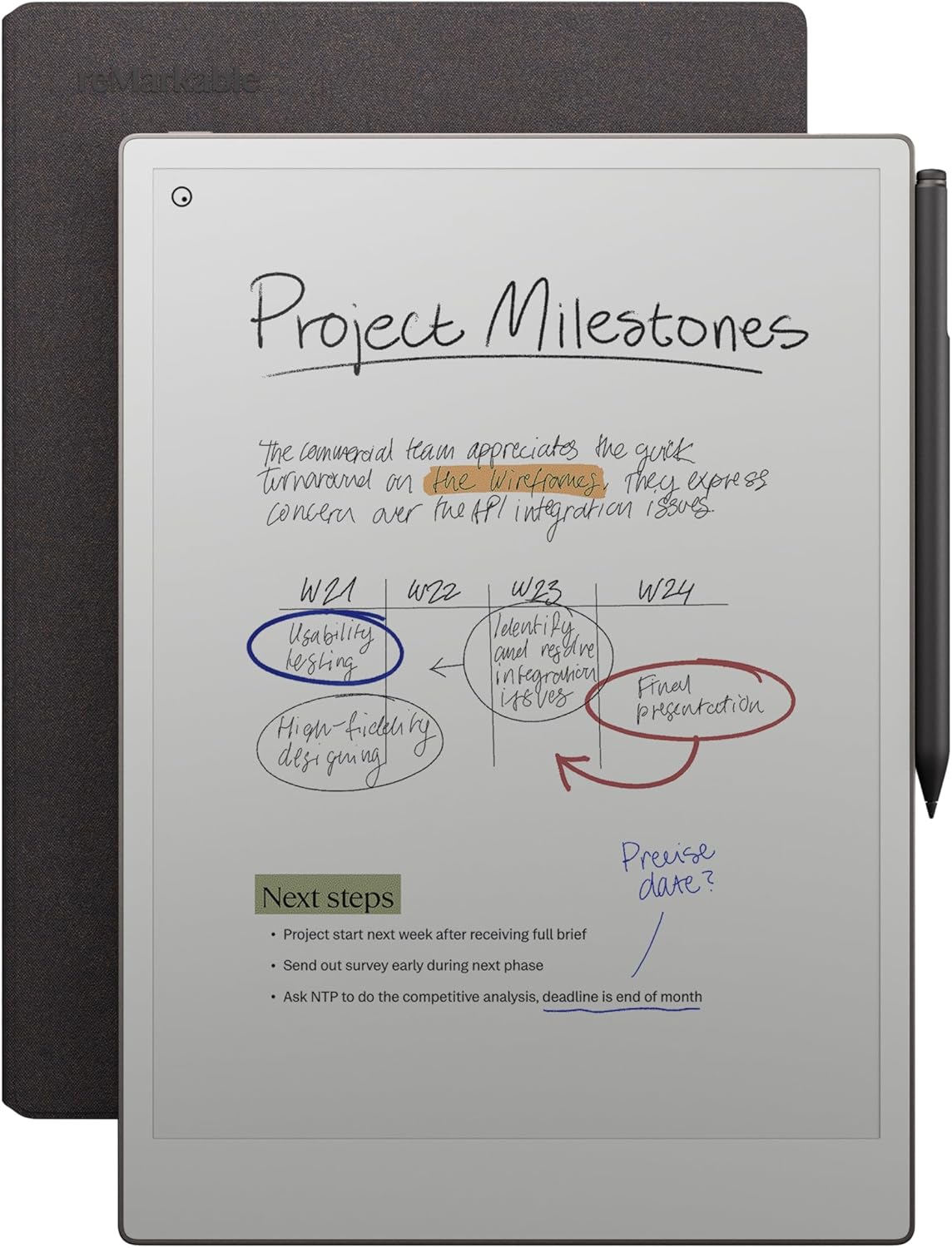
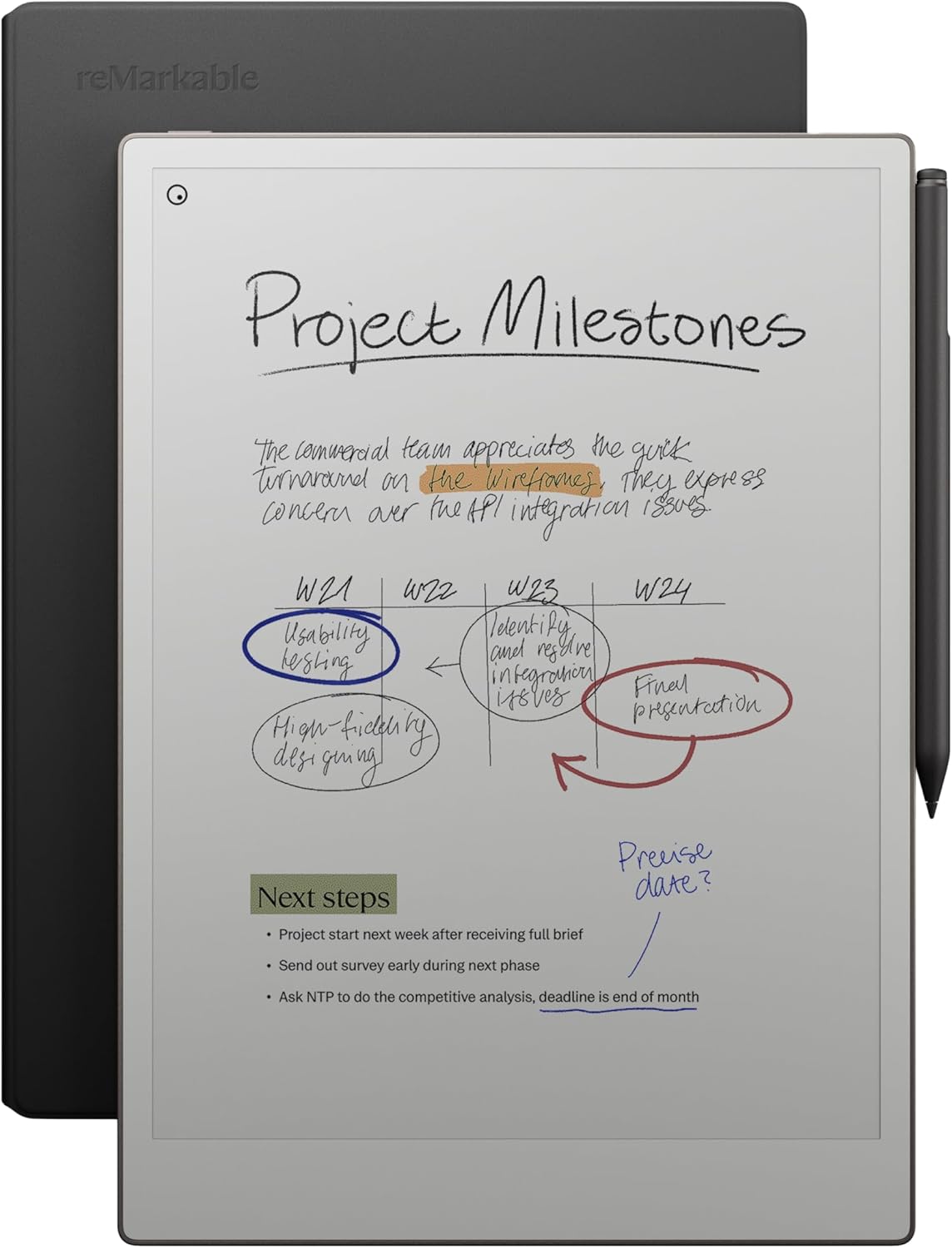
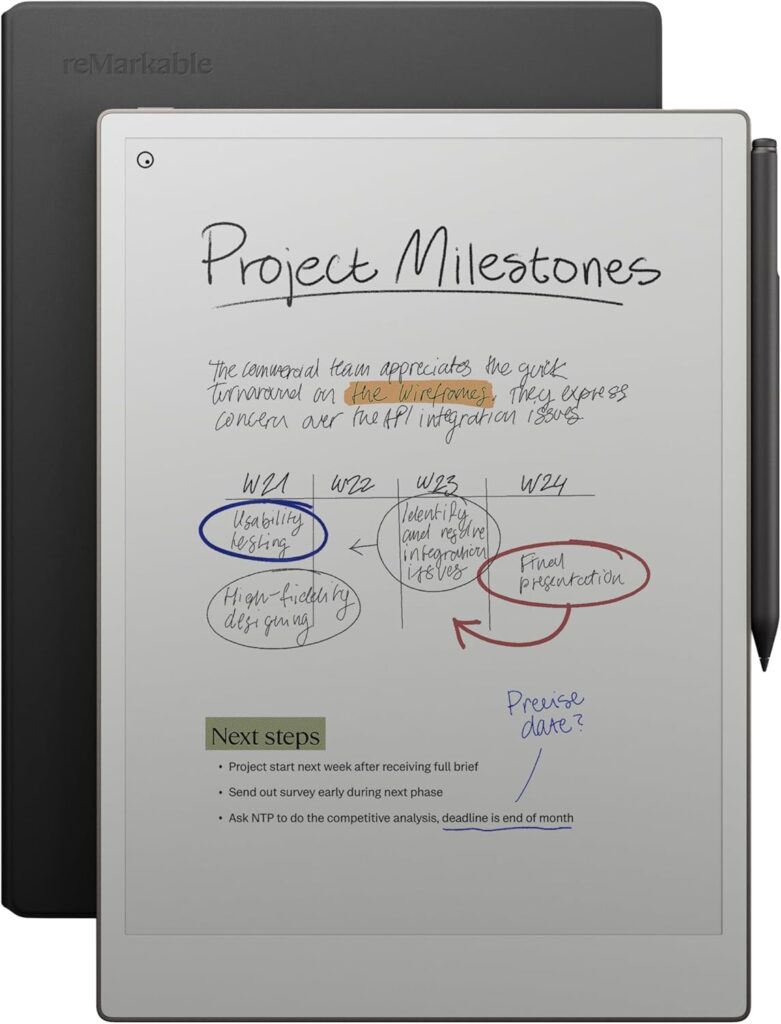
The demand for distraction-free digital tools has grown dramatically as more people work, study, and create in hybrid environments. Among the most intriguing devices in this category is the reMarkable Paper Pro Bundle – Premium Leather, which combines the 11.8-inch reMarkable Paper tablet, the Marker Plus pen with built-in eraser, and a premium black leather Book Folio.

This article is a comprehensive, neutral guide designed to explain what the bundle includes, how the technology works, who it’s designed for, and what makes paper-like tablets different from traditional tablets.


Understanding the Paper Tablet Category

Before diving into the bundle itself, it’s important to understand what a paper tablet is.

Unlike traditional tablets designed for apps, video, and entertainment, paper tablets focus on:

  • Writing and note-taking
  • Reading and annotating documents
  • Sketching and brainstorming
  • Eliminating digital distractions

Paper tablets aim to replicate the feel of writing on paper while keeping the advantages of digital storage and organization.

This category has grown quickly among:

  • Students and researchers
  • Writers and journalists
  • Designers and architects
  • Professionals who attend frequent meetings
  • Anyone seeking a minimalist productivity tool

The reMarkable Paper Pro Bundle sits firmly within this niche.


What Comes in the reMarkable Paper Pro Bundle

The Premium Leather bundle is designed as a complete setup, so users don’t need to purchase accessories separately.

Included in the bundle:

  1. 11.8” reMarkable Paper tablet
  2. Marker Plus pen with eraser
  3. Black leather Book Folio cover

This combination focuses on writing, portability, and protection.


The 11.8-inch reMarkable Paper Tablet

https://images.openai.com/static-rsc-4/yVpBbYbfOVKlmJ0RQ5IEqeKArnBdvUTvkOz4r5nIuX_rTKynzkDPB-JDXvjLIwGj7BJ5lFW6QZGL3PFbCZzZMzIG_NDKauydoL53Jml4px6w51E8rIfpLacg2Eow99HujlgAOI0AL10yxQi5n_CdXQqvk93osKjAniFmyD5vaBv0K1i11pJIFvOHB9SVS4r6?purpose=fullsize
https://images.openai.com/static-rsc-4/Pe03BTVkCIsdOWFZ2rdkfTwpJi-nSY4QBjasGt4cOdYnve1gSzD0WLUnEmX6-pKjAdbAtDZZHVk6DgXGU5dsYsSJ35q58Hd8-OFEVJl3EmmEtclpP5-1kLwMeq9YWmlNCRTESuJczslAs_iGBMIznxx0dnO5pdL3scrJbKQArSvlTNtN2r9rPgMRpuk2yXu6?purpose=fullsize
https://images.openai.com/static-rsc-4/UJuaZnU7NTmcDI8lW72IkK1N-rz1halqFuuf8hoLquTyj4JEFJdxCe9DZVYzbUXNQkVxDKH4BrvcyH-iZ1MozNXSZZ2Zh2cZC145OBhN8saeI3OhaiV1SZsSyTSXZPqlyrr3Tnalysxbd45-XWTNtQTT9WGo6GBt3Ekne6_ky5FPmpOqoaCSTgk6zUfPtq40?purpose=fullsize

A Display Designed for Writing and Reading

The tablet features a large 11.8-inch display built around E Ink technology, a screen type engineered to mimic paper rather than a glowing display.

Key characteristics of E Ink screens:

  • Matte surface that reduces glare
  • Comfortable reading in bright sunlight
  • No blue-light backlighting
  • Extremely low power consumption
  • Visual appearance similar to printed paper

This makes it fundamentally different from LCD or OLED tablets.


Paper-Like Writing Experience

The screen surface has a textured finish designed to simulate the friction of paper. Combined with specialized stylus technology, the device aims to replicate the sensation of pen on paper.

The writing experience includes:

  • Low latency writing
  • Pressure sensitivity
  • Natural handwriting flow
  • Minimal visual delay

For many users, this tactile experience is the core appeal of the device.


A Minimalist Interface

Paper tablets intentionally avoid traditional tablet features such as:

  • App stores
  • Social media notifications
  • Web browsing
  • Games and streaming apps

Instead, the interface focuses on:

  • Notebooks
  • Documents
  • PDFs and ebooks
  • Folders and organization

The goal is to create a distraction-free digital workspace.


Marker Plus Pen with Eraser

https://images.openai.com/static-rsc-4/glzXyS2sRG9L1d_H42tpu6BvLTzUeUFKLxTYbjTgELpE5BAhMu7fMX-oFTXMqn92zJhfBY8NjBTMLrMWT7hYuAAjmmmtzCSmevHBOA4wo2HnUz5YLN3P5HBKdXKnuvip9HOCrTYAZwWsR_01gmW5eGdx7Dh0Jbrduh9ZdZPxp_XDryywQR3rOrJA7TIBpSBu?purpose=fullsize
https://images.openai.com/static-rsc-4/cSUOQmuTOtNlzJ9Xx7jcfTzQum8N2_FpmIEqRgoMSg0-Dxy1jxU2vW4uabEfIwauNGmV1zKOSTVFLplMnZmJG9C5T0KZRqkn6rvpdtHcDfPhQe12zkJ0vQ584tcrb9cKiy-Dqz_HFWM_johcmQTwwUVJDX8tOlif4GzDMsN5FN508maKmJxnPE8irVG33Ncb?purpose=fullsize
https://images.openai.com/static-rsc-4/Cp_2m_okIhv10YfScc4_U9WyNk3Z6qcy9BePjZZbgdrdrV21v2Pg_kMsDxRI8UwoutDYsgeuvTA34vdGlwaqgTNkDRG6CTSKiElUoUlY544n2gHEMFGRW5QiYJ43qoLv8sWXXBb32tJpJ2_SpN3tK_nDr77aSx8Bn9jqULTNPkgCEUykztTeGlrp73lHN0Mn?purpose=fullsize

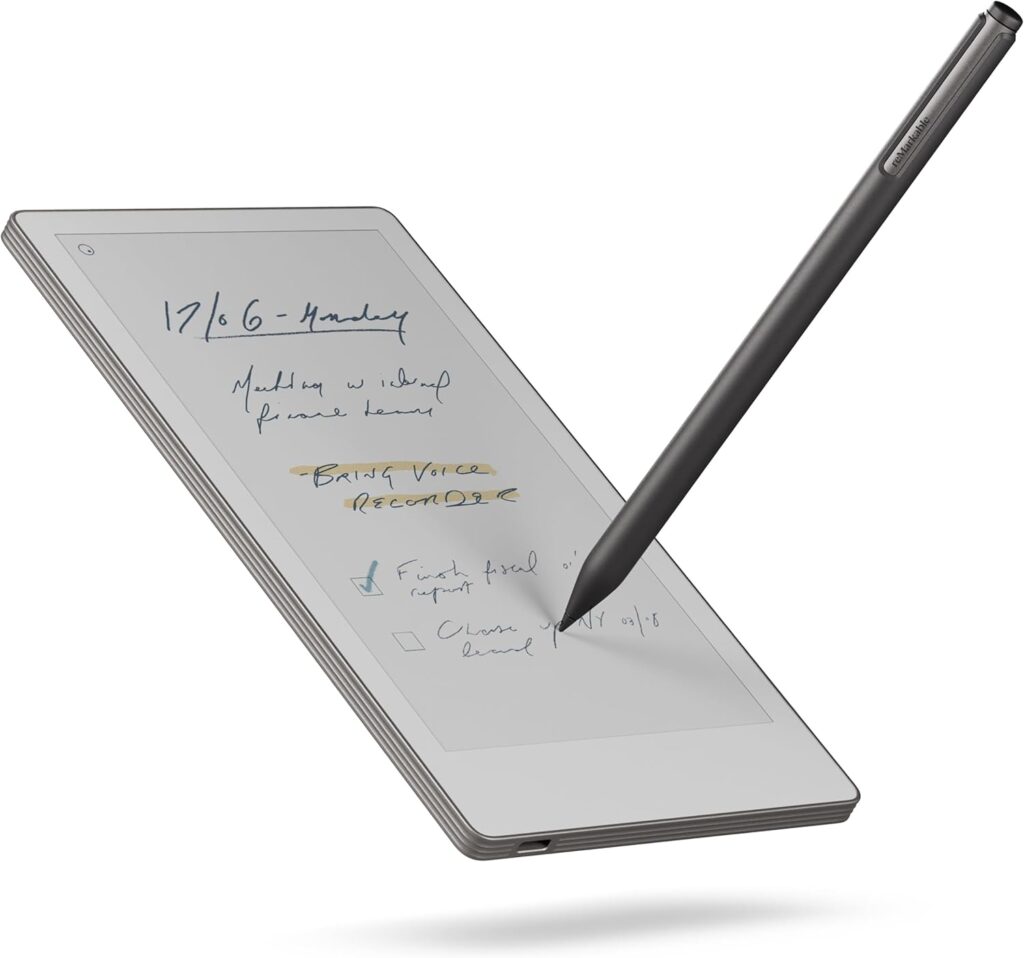
The bundle includes the Marker Plus, an upgraded stylus designed to feel like a premium writing instrument.

Key Features

1. Built-in Eraser
The back of the pen functions like a pencil eraser, allowing quick corrections without switching tools.

2. Pressure Sensitivity
Writing and sketching respond to pressure, producing thicker or thinner lines naturally.

3. Tilt Support
Shading techniques similar to pencil drawing are possible.

4. No Charging Required
The pen does not need batteries or charging, which aligns with the paper-like philosophy.

5. Magnetic Attachment
The stylus snaps magnetically to the tablet for convenient storage.


Premium Black Leather Book Folio

https://images.openai.com/static-rsc-4/lts2Cp9zAzwPqhVrw4UOjOjiG2HDLBnGjofFYCLOj3uvRah7ic1aTGo6-ZanBREQupYn5jG9HO766K8RYgp7O2FRh9HK_fg_jvHtY__XGrvksJ2HDnAw5KuieGU0c6ozcvldvy0OanXfQpWgk1t8nwX_lS0Kh4Ahs2ElmUpdIX1o5rrjCmjOgSHnDduRUWc3?purpose=fullsize
https://images.openai.com/static-rsc-4/6sre6nKIQskZlsTR7SfUIhLNtLnnrFmN9i-1rCHo9g3EU0Wrfdjd7_nuvGIZ0boA_fAGiBGvj-LD8jXhjLRJ3zyPApVpc3cB9IEMuUwDE8B3mojBTsU0E3oWqnQN3C4bnFKbm084b5ySHNS8ii0NATCP3aNTbV3IYQ5yUG4qg1kFi0AMaYqEvULL1hqLKrlb?purpose=fullsize
https://images.openai.com/static-rsc-4/3XcS8bVIo3FDkJHQ2Q53VfDB-8Hc73To-64tzzJ8-jXi5PWCBjk3sfrfPTWe_SVGvntaJ3SZNPCcYQAelWvztgwVHk_wyT1qzp1zSOMNFDeKeST7npCYQI4RLlJM1-7jy4uEpBoAsrql1nfUOmyiqzdAFULRl-MNUAP2GF1Rsfv3hvZuWC9mJ52Y4ibFsvJa?purpose=fullsize

The bundle includes a protective Book Folio made from black leather, designed for portability and durability.

Purpose of the Folio

  • Protects the tablet from scratches and impact
  • Allows the device to be carried like a notebook
  • Provides a professional appearance for meetings
  • Keeps the stylus secure during travel

The folio turns the tablet into a familiar notebook-like object.


How Paper Tablets Fit Into Digital Workflows

A paper tablet is best understood as a bridge between analog and digital workflows.

From Paper to Digital Organization

Traditional notebooks have limitations:

  • Difficult to search
  • Easy to lose or damage
  • Hard to share
  • Limited storage capacity

Paper tablets offer:

  • Unlimited notebooks
  • Cloud synchronization
  • Digital backup
  • Document export

This combination allows handwritten notes to become part of a digital workspace.


Key Features Explained

Handwriting Recognition

Many paper tablets include handwriting conversion technology that can transform handwritten notes into typed text.

Typical use cases:

  • Converting meeting notes into documents
  • Sharing notes via email
  • Creating editable digital files
  • Improving accessibility and searchability

This feature helps bridge handwriting and modern digital workflows.


Document Annotation

The device is designed for working with documents such as:

  • PDFs
  • Research papers
  • Contracts
  • eBooks

Users can:

  • Highlight text
  • Write comments
  • Add sketches and diagrams
  • Sign documents digitally

This makes paper tablets useful for academic and professional work.


Cloud Synchronization

Paper tablets typically connect with cloud services, allowing users to access files across devices.

Common workflow examples:

  • Writing notes on the tablet
  • Accessing them later on a phone or laptop
  • Exporting files as PDFs or images
  • Sharing notes with colleagues or classmates

Cloud sync enables seamless integration with modern productivity tools.


Who This Type of Device Is Designed For

Paper tablets are not intended to replace traditional tablets or laptops. Instead, they serve specific use cases.

Students and Researchers

Benefits for education include:

  • Organizing lecture notes
  • Annotating academic PDFs
  • Reducing paper usage
  • Keeping all notebooks in one device

The large screen is particularly helpful for reading textbooks and research papers.


Writers and Journalists

Writing professionals often prefer distraction-free environments.

Paper tablets help with:

  • Drafting ideas and outlines
  • Journaling and brainstorming
  • Long writing sessions without screen fatigue
  • Organizing creative notebooks

Designers and Creatives

Sketching and ideation are central to many creative fields.

Possible uses include:

  • Concept sketches
  • Wireframes and diagrams
  • Visual brainstorming
  • Storyboarding

The pressure-sensitive stylus supports creative workflows.


Business Professionals

In meetings and presentations, paper tablets can replace traditional notebooks.

Typical workplace uses:

  • Meeting notes
  • Project planning
  • Signing documents
  • Organizing task lists

The professional leather folio fits well in corporate settings.


Advantages of E Ink Technology

Understanding E Ink is essential to understanding paper tablets.

Reduced Eye Strain

Unlike backlit displays, E Ink reflects light like paper. This can make long reading or writing sessions more comfortable.


Long Battery Life

E Ink screens use power only when the display changes. This enables significantly longer battery life compared to standard tablets.


Outdoor Readability

Because the screen reflects ambient light, it remains readable in bright sunlight where traditional tablets struggle.


Digital Organization and Productivity

One of the strongest benefits of paper tablets is organization.

Notebook Structure

Users can create:

  • Multiple notebooks
  • Nested folders
  • Separate workspaces
  • Structured project files

This helps keep personal and professional notes separate and organized.


Search and Retrieval

Digital notebooks can often be searched using:

  • Keywords
  • Tags
  • Converted text

This eliminates the frustration of flipping through physical notebooks.


Sustainability and Paper Reduction

Paper tablets are often chosen by users who want to reduce paper consumption.

Potential environmental benefits include:

  • Fewer printed documents
  • Less notebook waste
  • Reduced printing costs
  • Digital archiving instead of storage

For heavy note-takers, this can significantly reduce paper usage over time.


Comparing Paper Tablets vs Traditional Tablets

Traditional Tablets

Typical features:

  • Entertainment and apps
  • Video streaming
  • Games and social media
  • Bright backlit displays

Paper Tablets

Focus on:

  • Writing and reading
  • Minimalist design
  • Long battery life
  • Distraction-free productivity

The two categories serve different purposes rather than competing directly.


Security and Privacy Considerations

Many professionals value secure note-taking.

Paper tablets can be used for:

  • Confidential meeting notes
  • Draft documents
  • Secure brainstorming
  • Offline writing sessions

This makes them appealing in corporate and legal environments.


Learning Curve and Usability

Paper tablets typically feature:

  • Simple interfaces
  • Minimal setup
  • Familiar notebook metaphors

Users transitioning from paper often find the learning curve manageable.


The Growing Paper Tablet Ecosystem

The popularity of paper-like devices has increased as more people seek:

  • Digital minimalism
  • Deep work environments
  • Reduced screen fatigue
  • Better focus

The reMarkable Paper Pro Bundle represents this broader trend toward focused productivity tools.


Final Thoughts

The reMarkable Paper Pro Bundle – Premium Leather is best understood as a complete paper-like digital workspace rather than a conventional tablet.

Its combination of:

  • Large E Ink display
  • Pressure-sensitive stylus with eraser
  • Premium leather folio
  • Minimalist software design

positions it as a specialized tool for writing, reading, and thinking.

For students, professionals, writers, and creatives seeking a distraction-free digital notebook, paper tablets represent a unique category that bridges the gap between traditional handwriting and modern digital organization.
Leave a Reply

Your email address will not be published. Required fields are marked *